
Integrating an External Code Checker in Eclipse

September 11, 2012 0

Codan is a code analysis framework that performs code checks on C/C++ projects. It is part of the Eclipse CDT (C/C++ Development Tooling) suite since 2011. Codan was updated with the Eclipse Juno release in June 2012 to enable developers to automatically execute external code analysis tools within Eclipse. In this article, Alex Ruiz explains why the update is good news for users of Eclipse CDT, then shows you how to use Java code and a little bit of XML to quickly integrate your favorite code checker into your Eclipse C/C++ development environment, using Cppcheck as an example. The article provides a detailed step by step process to achieve this goal that requires just about 100 lines of simple Java code and 30 lines of XML.

Managing Exploratory Software Testing

September 10, 2012 1

Learn the pros and cons of typical ways that teams manage exploratory testing, from stealth work and bug hunts through to spread bets and timeboxing. This video also explores some possible alternatives, taking inspiration from machine learning, lean approaches and from other industries who find value in exploration.

Lessons Learned: Lint and Javascript

September 5, 2012 0

Many JavaScript implementations do not warn against questionable coding practices which is a nightmare when you actually want to write quality, maintainable code. That’s where JavaScript Lint comes in. With JavaScript Lint, you can check all your JavaScript source code for common mistakes without actually running the script or opening the web page. This video takes a concise look at what Lint is, how to use it, and how to incorporate it into your automated build.

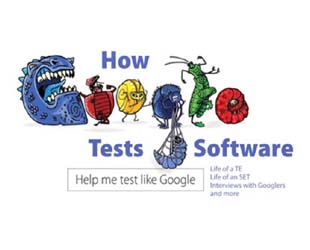
How Google Tests Software by James Whittaker

September 3, 2012 2

James Whittaker is a former engineering director at Google and has been responsible for testing Chrome, Google Maps and Google Web Apps. In this book written with Jason Arbon and Jeff Carollo, he describes how Google organizes its software testing process. The Google software testing organization that has three roles: Software Engineer in Test (SET), Test Engineer (TE), Test Engineering Manager.

Using Visual Studio 2012 to Test Windows 8 Applications

August 30, 2012 0

In this blog post, Rui Sun and Andre Hamilton explore some Visual Studio 2012 capabilities that will make it easier to test and verify Windows 8 applications. Visual Studio 2012 has a simulator that reduces your need to have physical devices of every form factor at your disposal for testing. You can launch your application in the simulator directly from within the Visual Studio through the debugging action. Then you can interact with your application using the mouse or using simulated touch on your development computer with gestures like swipe, pinch to zoom and rotation. Visual Studio also provides a unit test library project for Windows 8 applications written in C#, VB.net or C++.

Software Testing Lessons from Extreme Programmers

August 29, 2012 0

Elisabeth Hendrickson shares her experiences and lessons learned about how testers can play well and succeed on Extreme Programming (XP) teams. One of the things testers often notice about XP is that there is no defined role for testers on the team. Yet XP teams describe themselves as “test infected”. They practice Test-Driven Development (TDD), writing executable unit tests before writing the code to be tested. Many teams practice Acceptance Test-Driven Development (ATDD), writing executable acceptance tests before implementing a feature. They use continuous integration to give them rapid feedback about the effects of changes. They practice pair programming, a technique that results in all code being peer reviewed before it’s checked in. In short, XP teams test continuously from the very first moment of any given project. You could even call them “test obsessed”.

Inspect/Debug your Mobile Code with Adobe Shadow

August 28, 2012 0

Adobe Shadow is a new tool currently developed by Adobe that provides developers a way to inspect and debug from their desktops wirelessly and synchronously across multiple devices. The Adobe Shadow desktop application listens for changes in a URL location in the browser. When a change occurs, it pushes the new URL out to all wirelessly connected devices immediately so the changed content is seen on the devices immediately. In this blog post, Holly Schinsky provides step-by-step instructions on how to use Adobe Shadow to inspect and debug your mobile code.

1 154 155 156 157 158 197