.NET software testing tutorials: unit testing, open source, NUnit, SpecFlow, Visual Studio, etc.
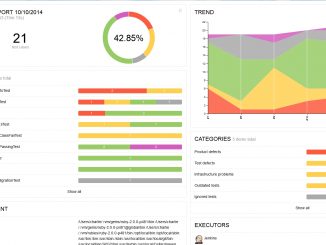
Running automated tests is a good thing for software quality assurance. Test reporting tools help you understand the results of the current test run. You could also be interested to see how your tests results evolve over time. Here are some open source tools to help you do this, as they produce meaningful tests reports and dashboard.
ASP.NET Core has been designed from the ground up with testability in mind. XUnit is the open source testing framework the ASP.NET team uses to test their own code.
Behavior-Driven Development (BDD) is an Agile approach that mixes requirement gathering, documentation and acceptance testing. You write human-readable sentences describing the features of your application and how they should work.
This presentation shows how you can take advantage of the most recent additional to the unit testing tools in Visual Studio to build more reliable apps. Besides Visual Studio own tools, you can also run unit tests in Visual Studio by using third-party test frameworks such as NUnit, Boost, or Google C++ Testing Framework, depending on your programming language.
xUnit.net is an open source unit testing tool for the .NET Framework. Written by the original inventor of NUnit v2, xUnit.net is the latest technology for unit testing C#, F#, VB.NET and other .NET languages. xUnit.net works with ReSharper, CodeRush, TestDriven.NET and Xamarin.
Part of the .NET Foundation, xUnit.net is an open source unit testing tool for the .NET Framework (C#, F#, VB.NET, etc). xUnit.net works with ReSharper, CodeRush, TestDriven.NET and Xamarin.
Continuous Testing is the process of executing automated tests as part of the software delivery pipeline to obtain immediate feedback on the business risks associated with a software release candidate. This practice is strongly associated to the Continuous Delivery approach. In his article “Continuous Testing in .NET”, Damir Arh proposes an overview of continuous testing and how to implement it in Visual Studio.